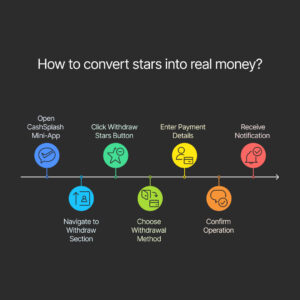
How to convert Stars into real money
CashSplash allows users to convert their earned Stars into real money. Here’s how:
- Open the CashSplash mini-app via Telegram.
- Navigate to the “Profile” or “Withdraw” section (depending on the app version).
- Click on the “Withdraw Stars” button — the system will automatically calculate how many Stars you currently have available for withdrawal.
- Choose your preferred withdrawal method (e.g., bank transfer or e-wallet).
- Make sure your payment details are entered correctly.
- Confirm the operation. You will receive a notification once your request is submitted and will be able to track its status.
Note: You can only withdraw Stars after completing a minimum number of tasks or reaching a specific balance. Some methods may require additional verification, especially for international transfers or cryptocurrency withdrawals.
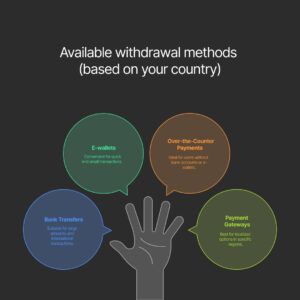
Available withdrawal methods (based on your country)
Withdrawal methods depend on your region. The following channels are supported:
- Bank transfers (local and international)
- E-wallets
- Over-the-Counter Payments
- Payment gateways: Payoneer, Tipalti, iPay88, DLocal (for localized options in Southeast Asian countries including Indonesia)
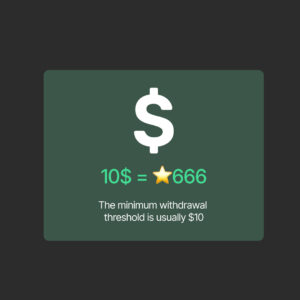
Minimum payout amount
The minimum withdrawal threshold is usually $10, approximately equivalent to 666 Stars. The app interface will display the exact amount and its local currency equivalent.
How long the process takes
Once you submit a withdrawal request, funds are typically processed within 24–72 hours. In rare cases of high demand, it may take up to 5 business days. You can always track your request status in the “Withdrawal History” section.